On this page
Last updated: April 2026
Picking the wrong workflow automation tool won't just slow you down. It will cost you in pricing cliffs you didn't see coming, or in engineering hours rebuilding logic that a better tool handles natively.
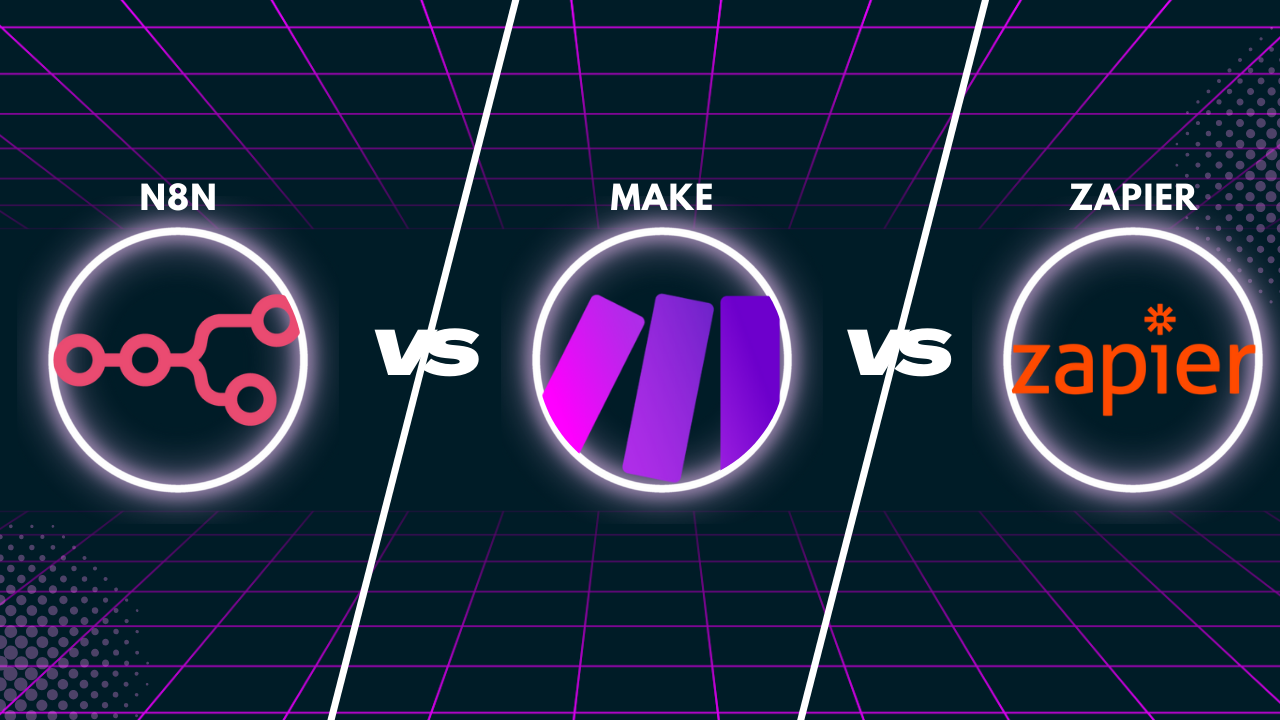
After testing all three platforms against real AI team workflows, including LLM pipelines, data routing, and multi-step agent triggers, here's the breakdown. If you want the broader market picture first, our workflow automation statistics for AI teams covers adoption rates and ROI benchmarks across the category.
Key Takeaways
- Zapier wins for non-technical teams that need fast setup and broad app coverage. It gets expensive fast at scale.
- Make wins for visual, logic-heavy workflows where your team thinks in flowcharts. Better value than Zapier at mid-volume.
- n8n wins for AI-native teams that want self-hosting, code-level control, LangChain integration, and costs that don't compound as task volume grows.
- Zapier escalates to $300-500/month at 50,000 tasks/month. n8n's execution-based pricing typically runs 60% lower at equivalent volumes.
- If you're building LLM pipelines, agent memory, or AI-triggered automations, n8n's 70+ AI nodes (v2.0) are a structural advantage, not a marketing bullet.
The Short Answer
Choose Zapier if your ops or marketing team needs to move fast without touching code and your task volume stays below 20,000/month.
Choose Make if you have a technical-enough team to build complex visual workflows and want better pricing than Zapier without going fully self-hosted.
Choose n8n if you're an AI startup running LLM pipelines, want self-hosting control, or will hit volume thresholds where Zapier's pricing becomes painful.
What Zapier Actually Is
Zapier is the category creator. It launched in 2011 and now connects 7,000+ apps through a trigger-action model that most non-technical users can pick up in under an hour. The core unit is a "Zap": one trigger, one or more actions, done.
Zapier's strength is breadth. If a SaaS tool has an API, Zapier probably has a pre-built integration. That's why it remains the default choice for ops and marketing teams that haven't yet invested in dedicated automation infrastructure.
The weakness is equally well-documented: pricing scales by task volume, not by workflow complexity. A single Zap that fires 10,000 times costs more than 10 Zaps that fire 1,000 times combined. Once you're running real automation at volume, the math stops working.
Zapier's key capabilities:
- 7,000+ pre-built app integrations, the largest library in the category
- Tables and Interfaces for lightweight data storage and front-end forms without leaving the platform
- AI Actions and basic OpenAI integrations for surface-level LLM triggers
- Multi-step Zaps with conditional branching (Paths)
- Zapier Transfer for bulk data migration between apps
Pricing:
- Free: 100 tasks/month
- Starter: $19.99/month (750 tasks) up to $69/month (2,000 tasks)
- Professional: $49-$299/month
- At 50,000 tasks/month: $300-500/month depending on plan
Best for: Non-technical ops and marketing teams, early-stage companies with low task volume, teams prioritizing app coverage over cost efficiency.
Not ideal for: High-frequency automations, LLM pipeline orchestration, teams hitting mid-to-high volume thresholds, anyone who needs data to stay in their own infrastructure.
What Make Actually Is
Make (formerly Integromat) takes a visual-first approach. Workflows are built as interactive diagrams where modules connect via lines on a canvas. It's genuinely intuitive for anyone who thinks in systems and processes. The visual layout also makes debugging complex branching logic far easier than Zapier's linear list format.
Make prices on "operations" rather than tasks. One scenario execution can consume multiple operations depending on how many modules run. That sounds like a trap, but in practice Make is substantially cheaper than Zapier at equivalent workflow complexity, especially for iterative scenarios that process arrays or do data transformations.
Make's key capabilities:
- Visual canvas workflow builder with real-time execution visualization
- Native support for HTTP requests, JSON parsing, and conditional routing
- Routers, iterators, and aggregators for processing collections of data
- Error handling routes with custom retry logic at the module level
- 1,000+ native integrations plus HTTP modules for anything outside the library
- Webhooks, scheduled scenarios, and real-time triggers
Pricing:
- Free: 1,000 operations/month
- Core: $9/month (10,000 ops)
- Pro: $16/month (10,000 ops, faster scheduling)
- Teams: $29/month (10,000 ops, team features)
- Additional operations purchased in bundles
Best for: Technical ops teams, mid-complexity workflows, teams that want visual debugging, cost-conscious companies scaling past Zapier's pricing.
Not ideal for: Non-technical users who find the visual model overwhelming, teams building native AI agent pipelines, companies with data residency requirements (cloud-only).
What n8n Actually Is
n8n is the tool most AI-team conversations in 2026 end up at. It's open-source, self-hostable, and built around a node-based workflow editor. The defining product move was n8n 2.0: 70+ AI nodes, native LangChain integration, and persistent agent memory built directly into the workflow engine.
That matters structurally. If you're building pipelines where a workflow needs to call an LLM, parse the output, make a decision, store context, and trigger a downstream action, n8n does this natively. No HTTP hacks, no side-channel memory storage. The AI infrastructure is part of the execution model.
Self-hosting is n8n's second differentiator for AI teams. Data doesn't leave your infrastructure. For companies handling sensitive user data, model outputs, or proprietary context, that's not a nice-to-have.
n8n's key capabilities:
- 70+ AI nodes including native LangChain, Ollama, OpenAI, and Anthropic integrations
- Persistent agent memory across workflow sessions, no external storage required
- Self-hosting via Docker or Kubernetes (MIT-licensed core)
- 400+ nodes covering all major developer, AI, and infrastructure tools
- Code nodes for custom JavaScript or Python logic inline
- Dedicated error trigger workflows for production-grade reliability
- Sub-workflows for reusable logic components
Pricing:
- Self-hosted: Free, unlimited executions (you pay your own infra costs)
- Cloud Starter: $20/month (2,500 executions)
- Cloud Pro: $50/month (10,000 executions)
- Enterprise: Custom pricing (SSO, audit logs, advanced permissions)
Best for: AI-native startups, developer teams, LLM pipeline automation, teams hitting Zapier pricing walls, companies with data residency requirements.
Not ideal for: Fully non-technical teams without internal ops support, teams needing integrations with niche SaaS apps outside the 400-node library, organizations that can't own infrastructure maintenance.
Feature-by-Feature Breakdown
AI and LLM Integration
This is n8n's category, and it's not close.
n8n: 70+ AI nodes, native LangChain and Ollama support, persistent memory across runs, agent orchestration built into the workflow engine. You can build a stateful agent pipeline without touching external infrastructure.
Make: Handles AI via HTTP request modules. You configure the endpoint, structure the request body, parse the response. It works, but it's manual. No memory or agent orchestration layer.
Zapier: Surface-level AI features via AI Actions and OpenAI integrations. You can trigger a ChatGPT call. You're not building a stateful agent pipeline.
Winner: n8n. See our AI operations automation trends for why AI-native tooling is pulling ahead of retrofitted automation platforms.
Pricing at Scale
At low volume (under 5,000 tasks/month), all three are affordable enough that pricing shouldn't drive your decision.
The gap opens fast above that.
At 20,000-50,000 tasks/month:
- Zapier: $300-500/month
- Make: $29-49/month for equivalent business outcomes
- n8n Cloud: $50/month (10,000 executions, each of which may handle far more individual "tasks")
At high volume: n8n self-hosted eliminates the per-execution cost entirely. You pay your own compute, typically a fraction of cloud automation pricing.
Winner: n8n for scale. Make for the cost-conscious team not ready for self-hosting.
Ease of Use
Zapier is the easiest. A non-technical marketer can build a working Zap in 15 minutes. The trigger-action model is intuitive, error messages are readable, and the app library does most of the heavy lifting.
Make is intermediate. The visual canvas is genuinely useful for complex workflows, but first-time users spend time getting comfortable with how operations are counted and how data mapping works. Expect a few hours before your team is fully productive.
n8n has the steepest initial curve, especially for self-hosted setups. The payoff is control. Teams without a technical operator or engineer will feel the ramp-up.
Winner: Zapier for non-technical teams. n8n for teams with engineering capacity.
App and Integration Coverage
- Zapier: 7,000+ integrations. If the app has a webhook or API, Zapier has a connector.
- Make: 1,000+ native integrations, plus HTTP modules for anything else. Covers the majority of common business tools.
- n8n: 400+ nodes, covering all major developer and AI tooling. Gap appears with niche SaaS apps, but for AI-team stacks (GitHub, Postgres, Redis, OpenAI, Slack, webhooks), coverage is solid.
Winner: Zapier by count. Practically, n8n covers most AI-team stacks without meaningful gaps.
Self-Hosting and Data Control
- n8n: Full self-hosting, MIT-licensed core, Docker and Kubernetes support, active community.
- Make: Cloud only.
- Zapier: Cloud only.
Winner: n8n by default. The other two aren't in this category. For teams building on LLM APIs and handling model outputs, this distinction matters more than it did two years ago.
Error Handling and Reliability
Make has the most visual error handling: custom error routes, granular retry controls at the module level, and clear execution logs tied to the canvas view.
n8n has solid error workflow support, including dedicated error trigger workflows that fire when any node fails. Mature enough for production-grade automation.
Zapier has improved but remains the weakest here. Error notifications exist, but recovery logic is limited compared to the other two.
Winner: Make for visibility. n8n for production robustness.
Our Recommendation by Team Type
Pre-seed, non-technical team (2-5 people):Start with Zapier. Get automations running fast. Switch when you hit pricing walls or need AI pipelines. That switch will come sooner than you expect.
Seed-stage, mixed team with at least one technical operator:Make hits the sweet spot. Better pricing than Zapier, more capability, manageable learning curve. Our 2026 AI startup tech stack guide recommends keeping the automation layer lightweight at this stage, and Make fits that.
AI-native startup or any team running LLM pipelines:n8n. The AI node library and self-hosting aren't bonuses; they're the point. The 60% cost advantage at volume is real. If you're building agents, processing model outputs at scale, or need data to stay in your infrastructure, n8n is the right foundation. Our AI automation tool comparison data has supporting benchmarks.
Series A+ with high task volume and a non-technical ops team:Consider n8n cloud with internal tooling support. The pricing math justifies the setup cost. Alternatively, keep Make for ops workflows and adopt n8n separately for AI-specific pipelines. The two coexist cleanly.
Real Talk: Where Teams Go Wrong
The most common mistake: picking Zapier early and staying too long.
The 7,000-app library and fast setup make it feel like a safe default. Then task volume climbs, AI pipelines start getting bolted on via workarounds, and the monthly bill hits $400+. Migration at scale is painful. The time to switch is before you're stuck.
The second common mistake: under-investing in n8n setup. Teams choose n8n for the right reasons, then deploy it without someone owning the infrastructure. Self-hosted n8n needs monitoring, updates, and occasional debugging. If no one on your team can handle that, use n8n cloud or stay on Make until you have that capacity.
The third: treating Make's operations model as a direct equivalent to Zapier's tasks without stress-testing it. Scenarios that process large arrays consume operations fast. Estimate before you build.
Don't build what you can buy. But also don't pay Zapier rates for 100,000 monthly task executions when n8n handles the same work for a fraction of the cost.
Get Started
- Try Zapier if you need automations running today with no engineering lift.
- Try Make if you want visual workflows and better pricing at scale.
- Try n8n for AI pipelines, self-hosting, and volume pricing that actually holds.
For context on where automation fits in your broader stack, read our AI infrastructure adoption statistics and the full AI operations automation trends breakdown.
Frequently Asked Questions
Can I run Zapier and n8n together?
Yes. Many teams use Zapier for surface-level ops (CRM updates, Slack alerts, form submissions) and n8n for AI-specific workflows (LLM routing, agent pipelines, model output processing). It adds complexity but makes sense during a migration phase or when different teams own different workflows.
Is n8n hard to maintain if self-hosted?
Honest answer: it requires effort. You need Docker or Kubernetes basics, someone to handle updates when new versions drop, and monitoring for failed executions. For teams with an engineer who can own infrastructure, it's a few hours per month once stable. For fully non-technical teams, n8n cloud removes that burden.
Does Make's "operations" model hide costs?
It can catch teams off guard. A scenario processing a 500-item array uses 500 operations in a single run. Iterative loops accumulate fast. The fix: estimate operations per execution before you build, not after. Make's pricing calculator helps. In practice, Make is still substantially cheaper than Zapier at equivalent business outcomes, even accounting for operations inflation.
Which tool handles errors and retries best?
Make has the most visual error handling, including custom error routes and granular retry controls at the module level. n8n has solid error workflow support with dedicated error trigger workflows. Zapier has improved but remains the weakest for error recovery. For production-grade automation where failures need graceful recovery, Make or n8n are the right picks.
Is n8n actually free?
The self-hosted version is open-source and free to run. You pay for compute on your own infrastructure. n8n cloud has paid plans starting at $20/month. Enterprise features (SSO, advanced permissions, audit logs) require an enterprise contract. For a small AI team self-hosting on a $20/month VPS, effective cost is minimal.
Join 15,000+ operators and AI founders who get Calliber's weekly stack breakdowns. Subscribe free at calliber.net.
Get the weekly
One essay + 3 tools worth your attention, every Tuesday.
you@company.com